Screen shots
EasyBD's user interface is divided into several separate elements, which allow the user to enter all the data quickly and comfortably during BD creation.
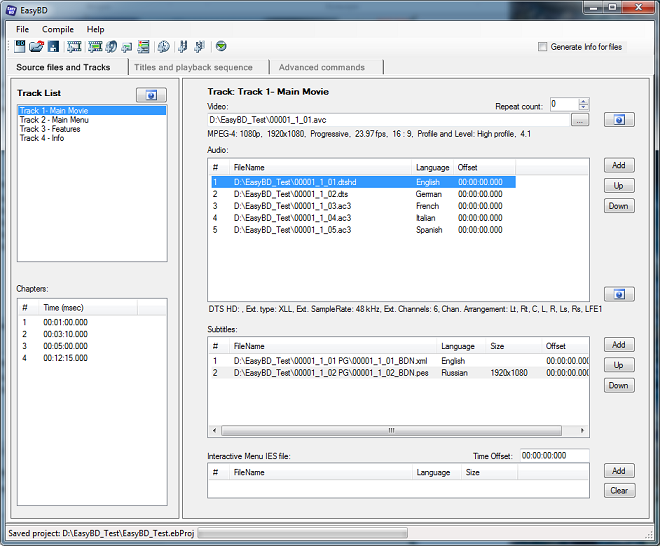
1. Source files and Tracks — this panel shows all source files, languages, stream order, chapter times and the track list, and allows the user to create a new track from scratch by adding files manually through the Open File dialog:
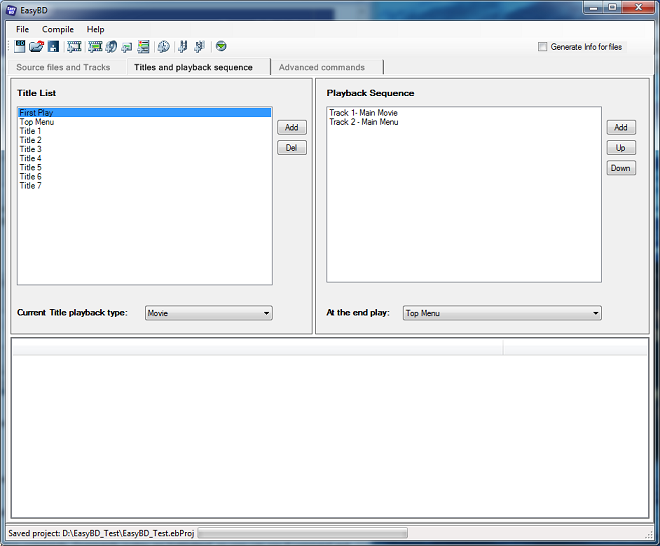
2. Titles and playback sequence — this tab allows you to create new titles and set the playback order for tracks. Here you can also attach tracks to titles. The FirstPlay and TopMenu elements must be set here:
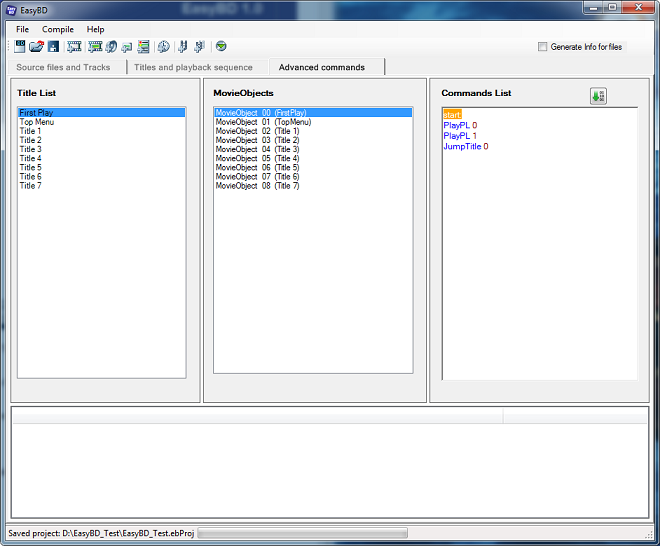
3. Advanced commands — this tab is only for advanced users and allows you to write code with navigation commands very close to the BD specification:
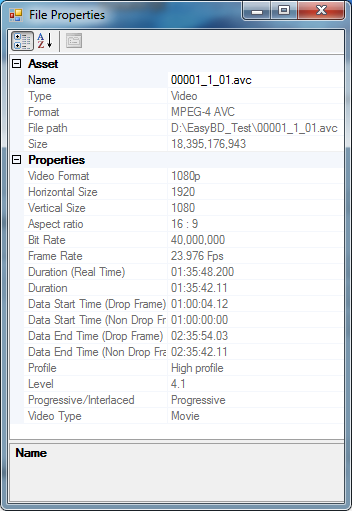
4. File Properties Info — EasyBD analyzes and parses absolutely all audio and video formats used in Blu-ray. You can see all useful format information here: